> For the complete documentation index, see [llms.txt](https://docs.swoop.fun/llms.txt). Markdown versions of documentation pages are available by appending `.md` to page URLs; this page is available as [Markdown](https://docs.swoop.fun/swoop-ru/swoop-pro/nastroiki-dlya-torgovli/filtry-po-fee.md). Agents can also search and read this documentation through its [MCP server](https://docs.swoop.fun/~gitbook/mcp).
# Фильтры по Fee
В новом обновлении добавлены фильтры по Fee.
Fee - это комиссии, которые платят трейдеры, когда торгуют тот или иной токен. И чем Fee больше, тем лучше, так как это указывает на большое количество живых трейдеров токена. А когда Fee мало, это говорит о том, что разработчик токена накачивает цену искусственно и неизбежен мгновенный обвал (rug).
### Как это работает?
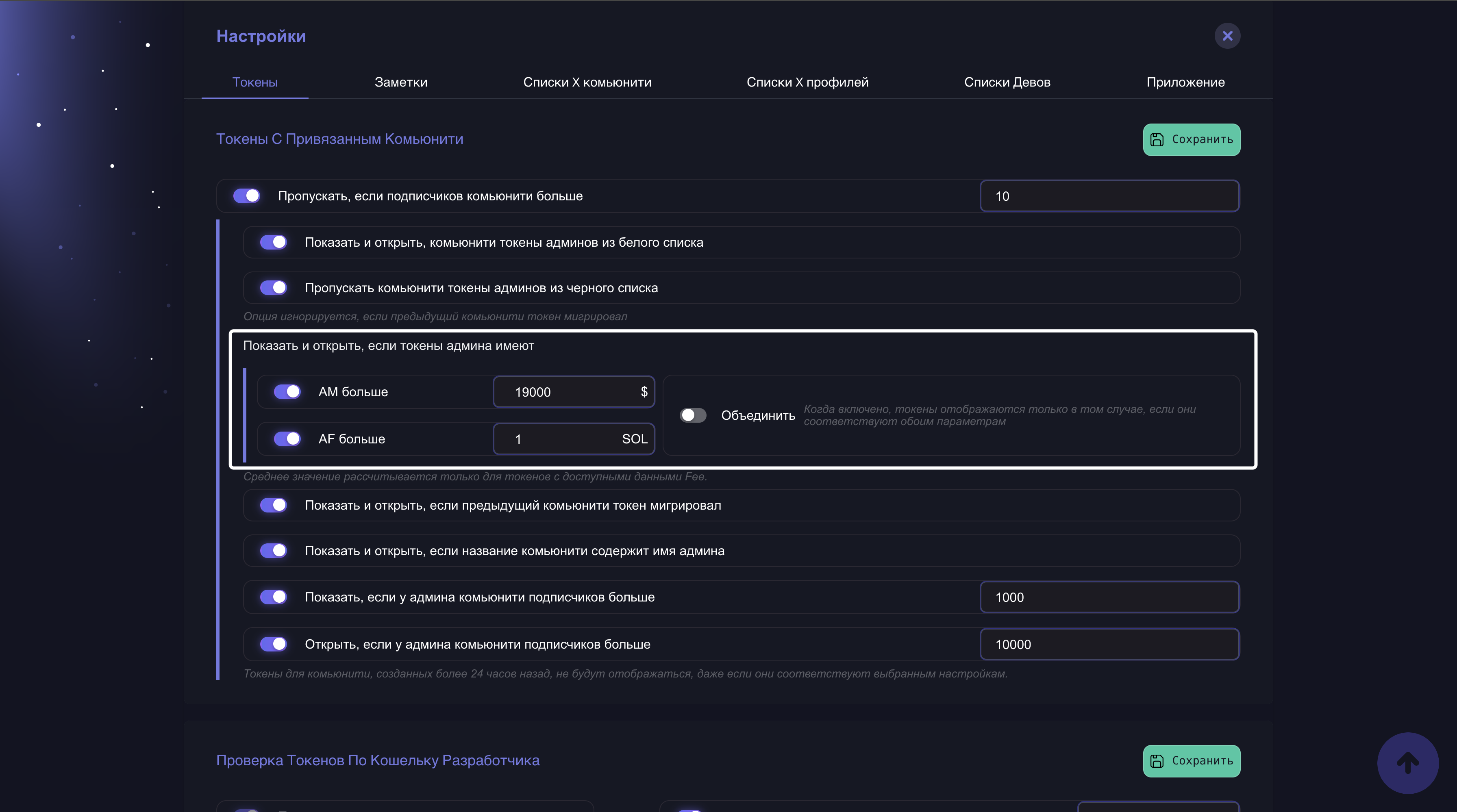
Теперь наши пользователи могут задавать фильтр на выдачу токенов для торговли по минимальному среднему показателю Fee всех предыдущих токенов разработчика или по 1-3 последним токенам. А также работать отдельно с фильтром по Fee или дополнять им фильтр по капитализации предыдущих токенов разработчика.
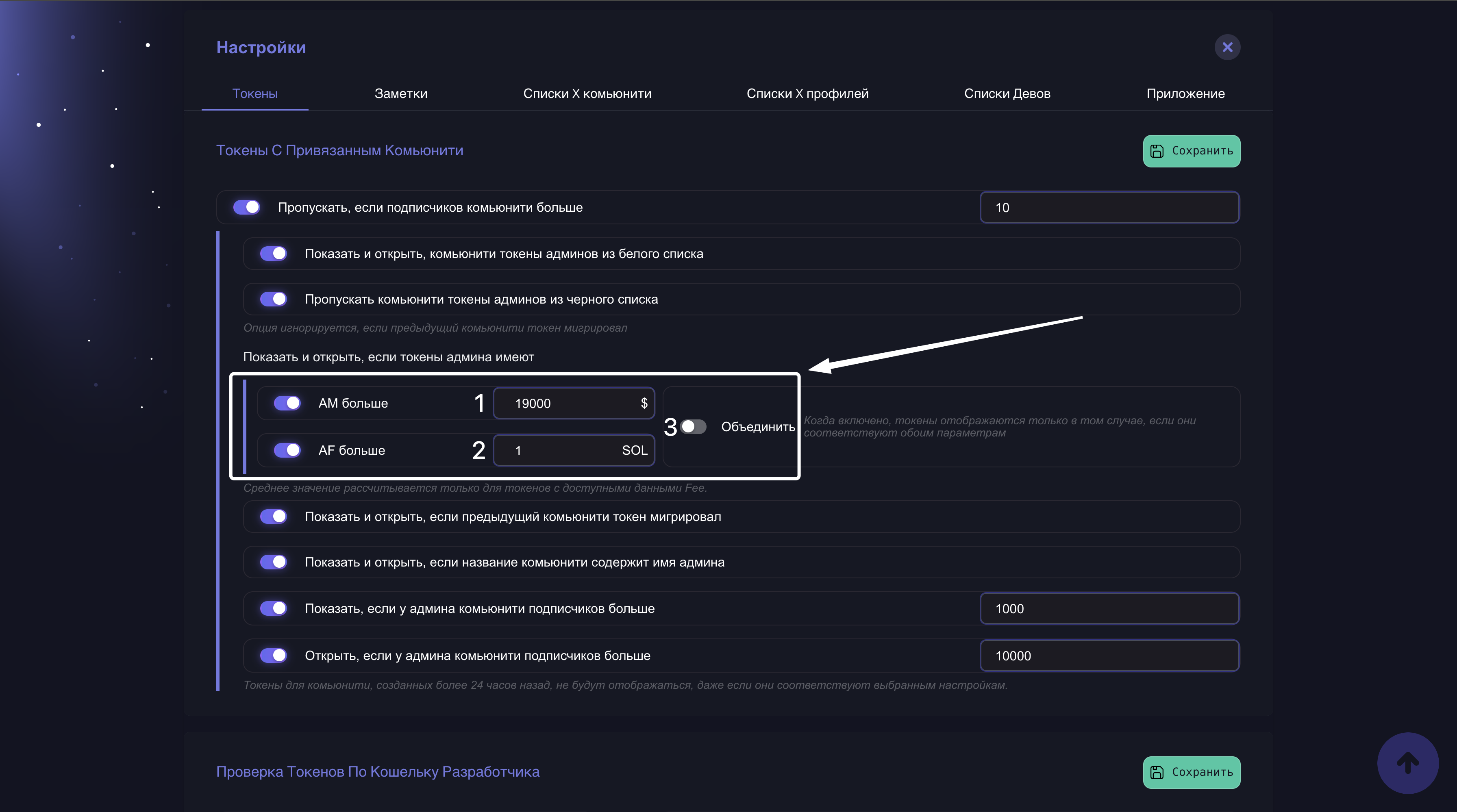
#### Токены с привязанным комьюнити
**1 - АМ больше**
Устанавливаете среднее значение капитализации разработчика больше N, все токены меньше N значения не будут показаны.
**2 - AF больше**
Средний fee токенов разработчика больше N значения. Если вы установили значение 1 SOL, будут показаны токены у которых AF выше 1 SOL.
**3 - Объединить**
Будут отображены токены у которых соблюдены оба значения. В примера на скриншоте, если у токена больше 19000 капитализация и больше 1 SOL Fee.
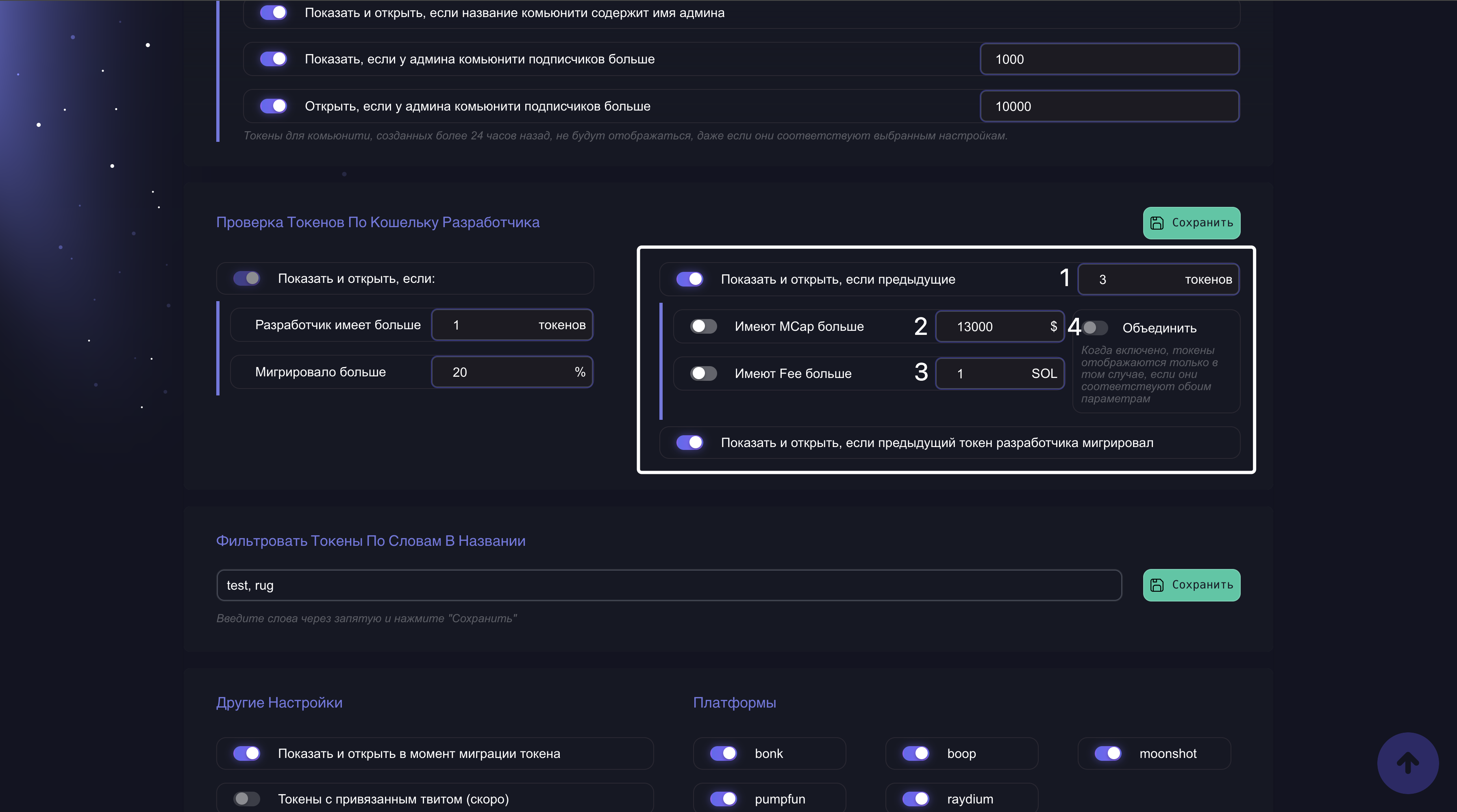
#### Проверка токенов по кошельку разработчика
**1 - Показать и открыть, если предыдущие**
Фильтровать значения только по последним в данном примере 3 токенам
**2 - Имеет MCap больше**
Показывать токены капитализация которых больше 13000
**3 - Имеет Fee больше**
Если функция включена показывает только токены Fee которых больше N значения.
**4 - Объединить**
Включает обе функции и показывает токены, только у которых капитализация и Fee больше установленных значений
---
# Agent Instructions
This documentation is published with GitBook. GitBook is the documentation platform designed so that both humans and AI agents can read, navigate, and reason over technical content effectively. Learn more at gitbook.com.
## Querying This Documentation
If you need additional information that is not directly available in this page, you can query the documentation by asking a question.
Perform an HTTP GET request on the following URL with the `ask` and `goal` query parameters:
```
GET https://docs.swoop.fun/swoop-ru/swoop-pro/nastroiki-dlya-torgovli/filtry-po-fee.md?ask=&goal=
```
`ask` is the immediate question: it should be specific, self-contained, and written in natural language.
`goal` is what the user is ultimately trying to achieve, the reason they need the answer. Sharing it helps GitBook give you a better, more relevant answer. A goal is most helpful when it describes the outcome the user wants rather than restating the question. For example, with `ask=how do I create an API token`, a goal like `automate deployments from our CI pipeline` lets GitBook tailor the answer to that use case.
The response will contain a direct answer to the question and relevant excerpts and sources from the documentation.
Use this mechanism when the answer is not explicitly present in the current page, you need clarification or additional context, or you want to retrieve related documentation sections.