> For the complete documentation index, see [llms.txt](https://docs.swoop.fun/llms.txt). Markdown versions of documentation pages are available by appending `.md` to page URLs; this page is available as [Markdown](https://docs.swoop.fun/swoop-ru/otlozhennye-ordera/limit-pokupka.md).

# Лимит покупка

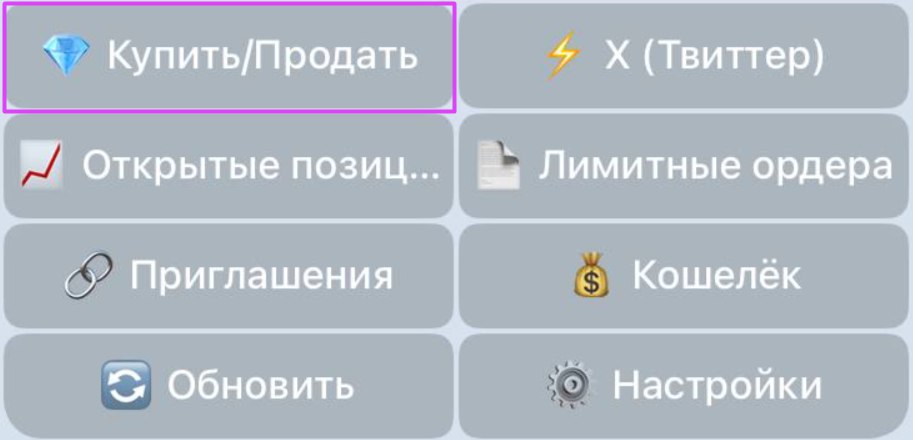
**Чтобы открыть лимитный ордер** , нажмите кнопку **«Купить/Продать»** и введите адрес контракта — или просто вставьте его в любое место в боте.

<div align="left"><figure><img src="https://3232391525-files.gitbook.io/~/files/v0/b/gitbook-x-prod.appspot.com/o/spaces%2FnogzgYvDfAFQQLJ48fP7%2Fuploads%2F7uJQs1QWvmOCVpZA5MZc%2Fphoto_5438402592695777249_y.jpg?alt=media&amp;token=cf82931d-4d68-46f3-aac6-6e957fb08048" alt="" width="375"><figcaption></figcaption></figure></div>

После ввода адреса токена (например:`DezXAZ8z7PnrnRJjz3wXBoRgixCa6xjnB7YaB1pPB263)`вы увидите краткую информацию о нём, кнопки с предустановленной суммой для быстрой покупки, обмен и лимит покупки.

### Создание лимитного ордера покупки.

Чтобы создать **лимитный ордер покупки**, нажмите кнопку **«Лимит покупки»** и укажите параметры сделки.

<div align="left"><figure><img src="https://3232391525-files.gitbook.io/~/files/v0/b/gitbook-x-prod.appspot.com/o/spaces%2FnogzgYvDfAFQQLJ48fP7%2Fuploads%2FAZr9Q4Q4iHrSMOadkYB6%2Fphoto_5433898993068408390_x.jpg?alt=media&amp;token=33740dd1-8704-4d29-837b-d13a3a41274d" alt="" width="231"><figcaption></figcaption></figure></div>

Нажмите кнопку **«Купить»** и укажите сумму покупки (в SOL).

<div align="left"><figure><img src="https://3232391525-files.gitbook.io/~/files/v0/b/gitbook-x-prod.appspot.com/o/spaces%2FnogzgYvDfAFQQLJ48fP7%2Fuploads%2FpAKJnta3MUYLagWSCRgh%2Fphoto_5438402592695777285_x.jpg?alt=media&amp;token=40cd37c6-22f3-4c5b-af01-8fb8b6a4ef71" alt="" width="332"><figcaption></figcaption></figure></div>

Нажмите кнопку **«Время»** и укажите срок действия лимитного ордера (в часах).

<div align="left"><figure><img src="https://3232391525-files.gitbook.io/~/files/v0/b/gitbook-x-prod.appspot.com/o/spaces%2FnogzgYvDfAFQQLJ48fP7%2Fuploads%2F664WbHRgj5ieh8mxngnY%2Fphoto_5438402592695777291_x.jpg?alt=media&amp;token=8388cdea-c130-4093-9e27-855a85aa4c42" alt="" width="335"><figcaption></figcaption></figure></div>

{% hint style="info" %}
Установить лимитный ордер покупки можно — как по цене, так и по рыночной капитализации.
{% endhint %}

<div align="left"><figure><img src="https://3232391525-files.gitbook.io/~/files/v0/b/gitbook-x-prod.appspot.com/o/spaces%2FnogzgYvDfAFQQLJ48fP7%2Fuploads%2FUAcWoREqwPS5gh4FRaJD%2Fimage.png?alt=media&amp;token=9a8d9727-187b-4719-8d85-609652d22293" alt="" width="299"><figcaption></figcaption></figure></div>

### Установка лимитного ордера на покупку токена по цене.

1. Нажмите кнопку **«Цена»** чтобы установить лимитный ордер покупки по цене.
2. Укажите процент изменения от текущей цены токена, при котором сработает ордер.

<div align="left"><figure><img src="https://3232391525-files.gitbook.io/~/files/v0/b/gitbook-x-prod.appspot.com/o/spaces%2FnogzgYvDfAFQQLJ48fP7%2Fuploads%2FuYMJrv7JdPjb6RTCD9iN%2Fimage.png?alt=media&amp;token=a8372037-468b-4c26-864b-09253cdd7fc6" alt="" width="298"><figcaption></figcaption></figure></div>

{% hint style="info" %}
Отрицательное значение — покупка ниже текущей цены \
Положительное — выше текущей цены
{% endhint %}

### Установка лимитного ордера на покупку токена по рыночной капитализации.

1. Нажмите кнопку **«Капитализация»** чтобы установить лимитный ордер покупки по капитализации.
2. Укажите значение капитализации, при достижении которой сработает ордер.

<div align="left"><figure><img src="https://3232391525-files.gitbook.io/~/files/v0/b/gitbook-x-prod.appspot.com/o/spaces%2FnogzgYvDfAFQQLJ48fP7%2Fuploads%2FRQBVmVPMfCmUge2wnvJ9%2Fimage.png?alt=media&amp;token=1fd250ba-1f7d-4aae-a3bd-9defd9493d00" alt="" width="331"><figcaption></figcaption></figure></div>

Нажмите кнопку **«Проскальзывание»** и укажите собственные значения проскальзывания (в процентах).

<div align="left"><figure><img src="https://3232391525-files.gitbook.io/~/files/v0/b/gitbook-x-prod.appspot.com/o/spaces%2FnogzgYvDfAFQQLJ48fP7%2Fuploads%2FVNinVAMYZ3802z7pmKRy%2Fphoto_5438402592695777296_x.jpg?alt=media&amp;token=d1300426-7fb5-41ad-876b-34302c9e5339" alt="" width="333"><figcaption></figcaption></figure></div>

Нажмите кнопку **«Создать ордер»** чтобы создать лимитный ордер покупки.

<div align="left"><figure><img src="https://3232391525-files.gitbook.io/~/files/v0/b/gitbook-x-prod.appspot.com/o/spaces%2FnogzgYvDfAFQQLJ48fP7%2Fuploads%2FFaZLRlfwoyVNwYuEzf36%2Fimage.png?alt=media&amp;token=46e28f3b-2b32-4d29-b834-c7c54849ce1c" alt="" width="332"><figcaption></figcaption></figure></div>

После успешного создания ордера вы увидите окно с информацией о лимитной покупке.

<div align="left"><figure><img src="https://3232391525-files.gitbook.io/~/files/v0/b/gitbook-x-prod.appspot.com/o/spaces%2FnogzgYvDfAFQQLJ48fP7%2Fuploads%2FaswCLPHkNdnQjLa31BN8%2Fphoto_5436191410387810043_x%20(1).jpg?alt=media&amp;token=00dfbad5-53ab-493e-ae3a-7686af124e86" alt="" width="273"><figcaption></figcaption></figure></div>

{% hint style="info" %}
Посмотреть и отредактировать активные лимитные ордера можно в любое время, подробнее [«Активные ордера»](/swoop-ru/otlozhennye-ordera/aktivnye-ordera.md).
{% endhint %}


---

# Agent Instructions
This documentation is published with GitBook. GitBook is the documentation platform designed so that both humans and AI agents can read, navigate, and reason over technical content effectively. Learn more at gitbook.com.

## Querying This Documentation
If you need additional information that is not directly available in this page, you can query the documentation by asking a question.

Perform an HTTP GET request on the following URL with the `ask` and `goal` query parameters:

```
GET https://docs.swoop.fun/swoop-ru/otlozhennye-ordera/limit-pokupka.md?ask=<question>&goal=<user_goal>
```

`ask` is the immediate question: it should be specific, self-contained, and written in natural language.
`goal` is what the user is ultimately trying to achieve, the reason they need the answer. Sharing it helps GitBook give you a better, more relevant answer. A goal is most helpful when it describes the outcome the user wants rather than restating the question. For example, with `ask=how do I create an API token`, a goal like `automate deployments from our CI pipeline` lets GitBook tailor the answer to that use case.

The response will contain a direct answer to the question and relevant excerpts and sources from the documentation.

Use this mechanism when the answer is not explicitly present in the current page, you need clarification or additional context, or you want to retrieve related documentation sections.