> For the complete documentation index, see [llms.txt](https://docs.swoop.fun/llms.txt). Markdown versions of documentation pages are available by appending `.md` to page URLs; this page is available as [Markdown](https://docs.swoop.fun/swoop-ru/otlozhennye-ordera/limit-pokupka.md).
# Лимит покупка
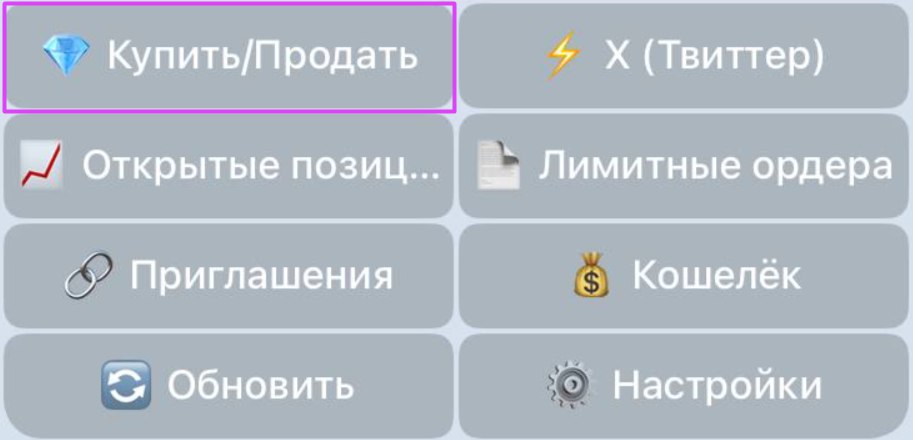
**Чтобы открыть лимитный ордер** , нажмите кнопку **«Купить/Продать»** и введите адрес контракта — или просто вставьте его в любое место в боте.
После ввода адреса токена (например:`DezXAZ8z7PnrnRJjz3wXBoRgixCa6xjnB7YaB1pPB263)`вы увидите краткую информацию о нём, кнопки с предустановленной суммой для быстрой покупки, обмен и лимит покупки.
### Создание лимитного ордера покупки.
Чтобы создать **лимитный ордер покупки**, нажмите кнопку **«Лимит покупки»** и укажите параметры сделки.
Нажмите кнопку **«Купить»** и укажите сумму покупки (в SOL).
Нажмите кнопку **«Время»** и укажите срок действия лимитного ордера (в часах).
{% hint style="info" %}
Установить лимитный ордер покупки можно — как по цене, так и по рыночной капитализации.
{% endhint %}
### Установка лимитного ордера на покупку токена по цене.
1. Нажмите кнопку **«Цена»** чтобы установить лимитный ордер покупки по цене.
2. Укажите процент изменения от текущей цены токена, при котором сработает ордер.
{% hint style="info" %}
Отрицательное значение — покупка ниже текущей цены
\
Положительное — выше текущей цены
{% endhint %}
### Установка лимитного ордера на покупку токена по рыночной капитализации.
1. Нажмите кнопку **«Капитализация»** чтобы установить лимитный ордер покупки по капитализации.
2. Укажите значение капитализации, при достижении которой сработает ордер.
Нажмите кнопку **«Проскальзывание»** и укажите собственные значения проскальзывания (в процентах).
Нажмите кнопку **«Создать ордер»** чтобы создать лимитный ордер покупки.
После успешного создания ордера вы увидите окно с информацией о лимитной покупке.
{% hint style="info" %}
Посмотреть и отредактировать активные лимитные ордера можно в любое время, подробнее [«Активные ордера»](/swoop-ru/otlozhennye-ordera/aktivnye-ordera.md).
{% endhint %}
---
# Agent Instructions
This documentation is published with GitBook. GitBook is the documentation platform designed so that both humans and AI agents can read, navigate, and reason over technical content effectively. Learn more at gitbook.com.
## Querying This Documentation
If you need additional information that is not directly available in this page, you can query the documentation dynamically by asking a question.
Perform an HTTP GET request on the current page URL with the `ask` query parameter, and the optional `goal` query parameter:
```
GET https://docs.swoop.fun/swoop-ru/otlozhennye-ordera/limit-pokupka.md?ask=&goal=
```
`ask` is the immediate question: it should be specific, self-contained, and written in natural language.
`goal` is optional and describes the broader end goal you are ultimately trying to accomplish on behalf of the user. GitBook uses it to tailor the answer towards what is most useful for that goal.
The response will contain a direct answer to the question and relevant excerpts and sources from the documentation.
Use this mechanism when the answer is not explicitly present in the current page, you need clarification or additional context, or you want to retrieve related documentation sections.


.jpg?alt=media&token=00dfbad5-53ab-493e-ae3a-7686af124e86)